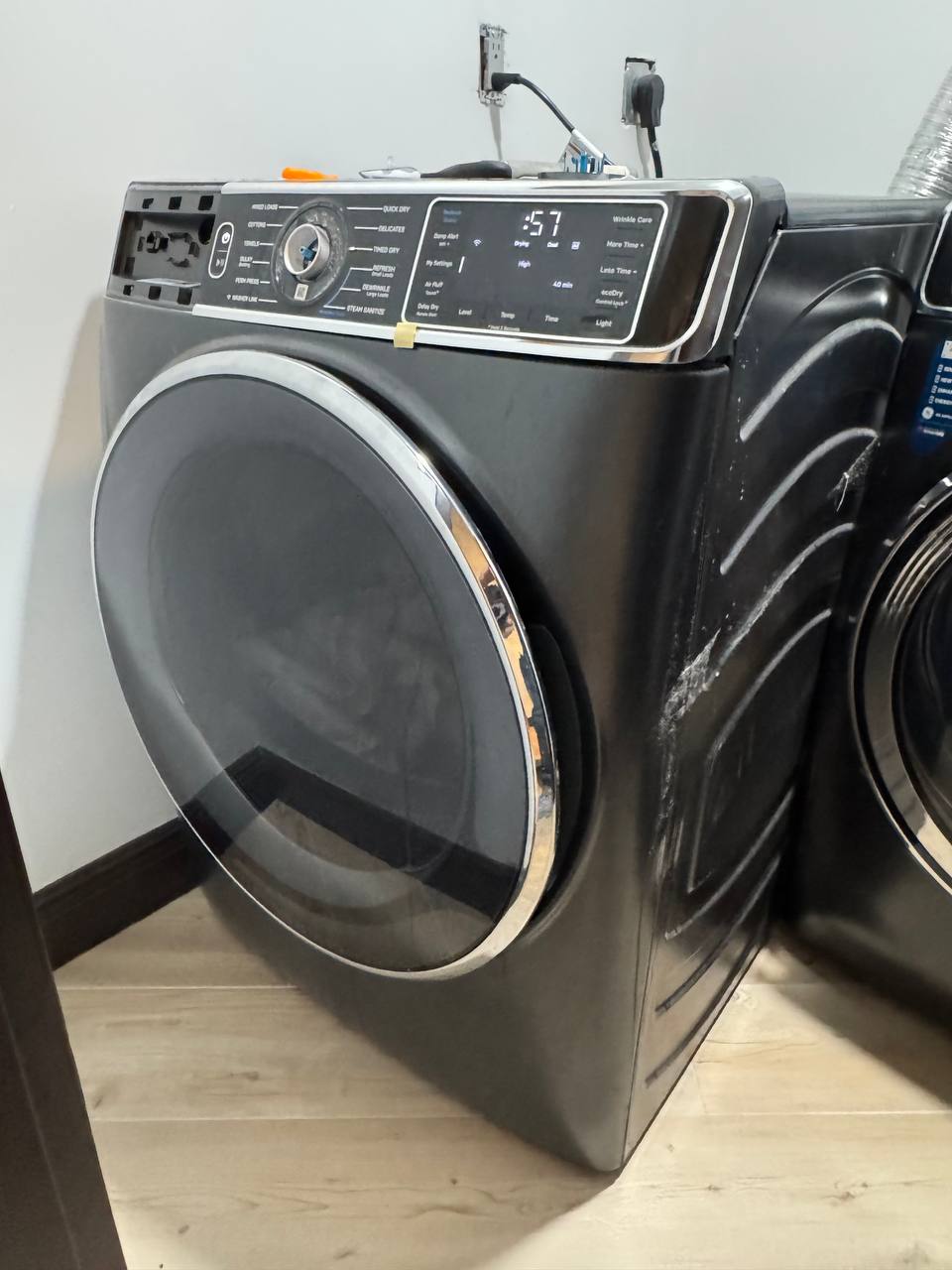
The Service Call: Unresponsive Selector Knob in Hollywood
A homeowner in Hollywood, FL reached out to iFixExpress when their GE dryer stopped responding to cycle selections. Turning the cycle selector knob produced no beep, no change on the display, and no ability to start desired drying settings like Cottons or Delicates. The dryer remained stuck on a single default cycle, rendering the unit virtually unusable for mixed laundry loads.
The Diagnostic Process: Tracing the Issue to the UI Board
When our technician arrived on site, the primary goal was to determine whether the issue stemmed from a mechanical failure in the knob assembly, a blown main control board, or an issue within the user interface (UI) assembly. Here is how the diagnosis unfolded:
Power & Continuity Test
We verified that the main terminal block and primary control board were receiving correct voltage. The main board was responding, ruling out a complete power failure.
Console Disassembly
After disconnecting power, we carefully removed the top panel and front control housing to inspect the user interface circuit board behind the selector knob.
Visual & Moisture Inspection
Upon removing the UI board bracket, clear signs of liquid intrusion were visible. Moisture had seeped down through the edge of the console panel, shorting out the rotary encoder contacts on the circuit board and causing corrosion across several switch traces.
The Repair Solution: Local Warehouse Stocking Saves the Day
Because corrosion on micro-soldered UI board traces causes irreversible electronic shorts, cleaning the board is only a temporary fix that leads to recurring failures. The correct, long-term solution was installing a brand-new OEM GE User Interface Control Assembly.
We checked our local Broward County parts warehouse inventory and confirmed the exact matching OEM part was in stock. We protected the dryer console, secured the part order, and scheduled a return visit for the following morning to complete the repair.
Completing the Repair & Testing
On day two, our technician returned to the Hollywood home with the replacement OEM UI board:
- Safely disconnected power and opened the control console housing once again.
- Unclipped the damaged UI board from its plastic harness and detached the ribbon cable connecting it to the main logic board.
- Installed the new OEM GE UI panel, ensuring all seals and ribbon cables were firmly seated to prevent future moisture intrusion.
- Reassembled the console frame, restored power, and entered diagnostic test mode.
Every turn of the cycle selector knob clicked smoothly through all settings—Normal, Towels, Delicates, and Quick Wash. The display responded instantly to tactile button presses, and a test dry cycle ran perfectly.